
Recipes from what's already in your fridge
Choose the ingredients you want to use up, add your preferences, and get recipe ideas that fit. Fridgea shows what you have, what to buy, and walks you through the cooking.

Free on iPhone & iPad · No account needed

How it works
Pick ingredients
Choose up to 10 things from your fridge — the ones expiring soon are easy to spot.
Get ideas
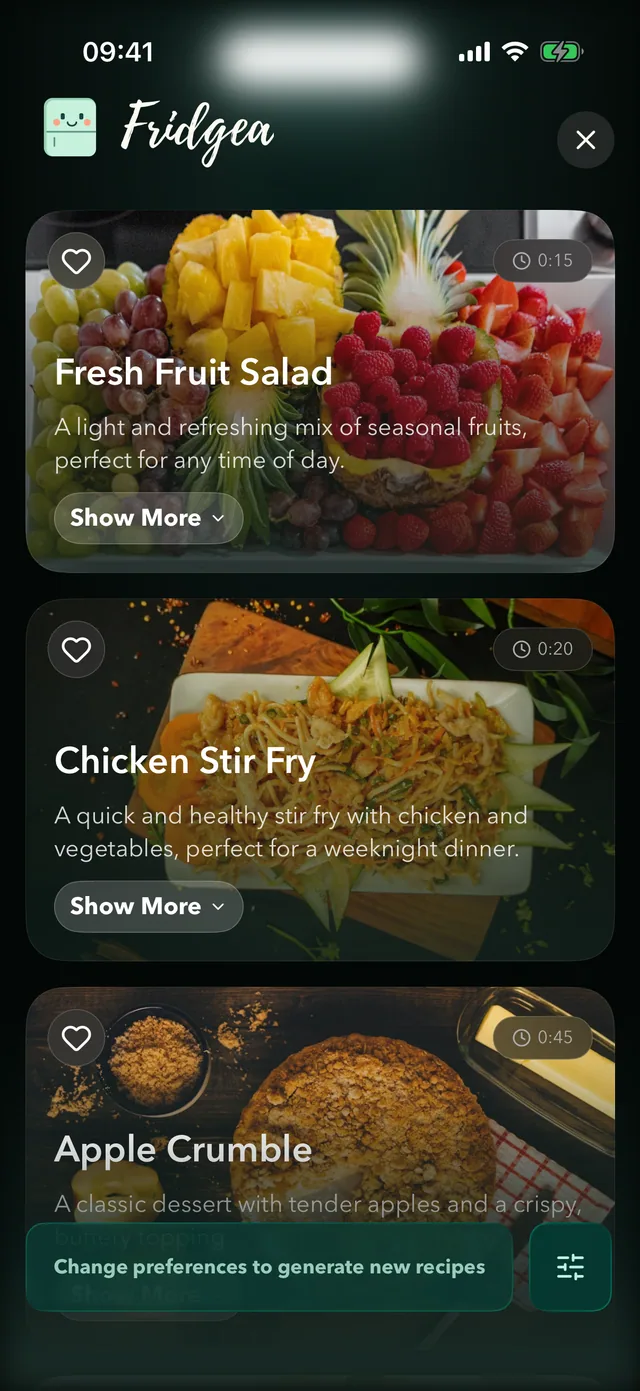
Usually 3–5 recipes that match your preferences: vegetarian, quick, kid-friendly, budget-friendly and more.
Cook
Missing ingredients go to your list in one tap; cooking mode guides you with timers on the Lock Screen.
Why it helps
- Uses up what you already bought.
- Save any recipe to your library — or write your own, free.
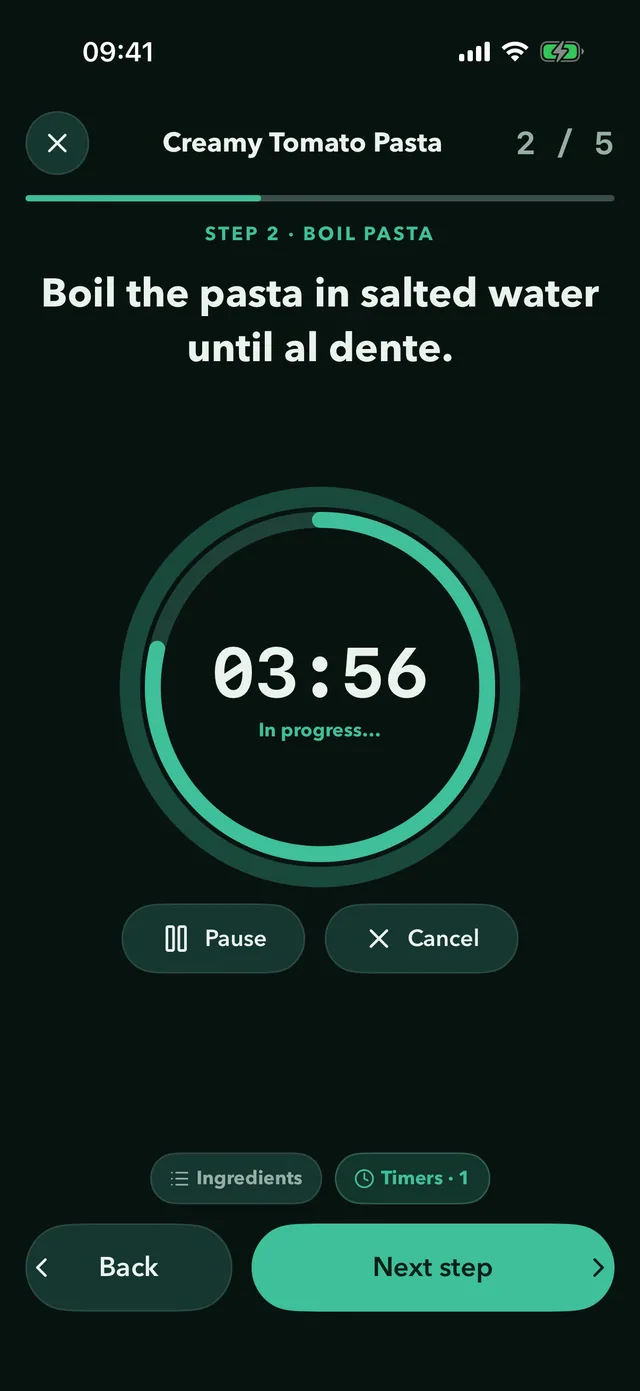
- Cooking mode with several timers at once, a Live Activity and the Dynamic Island.
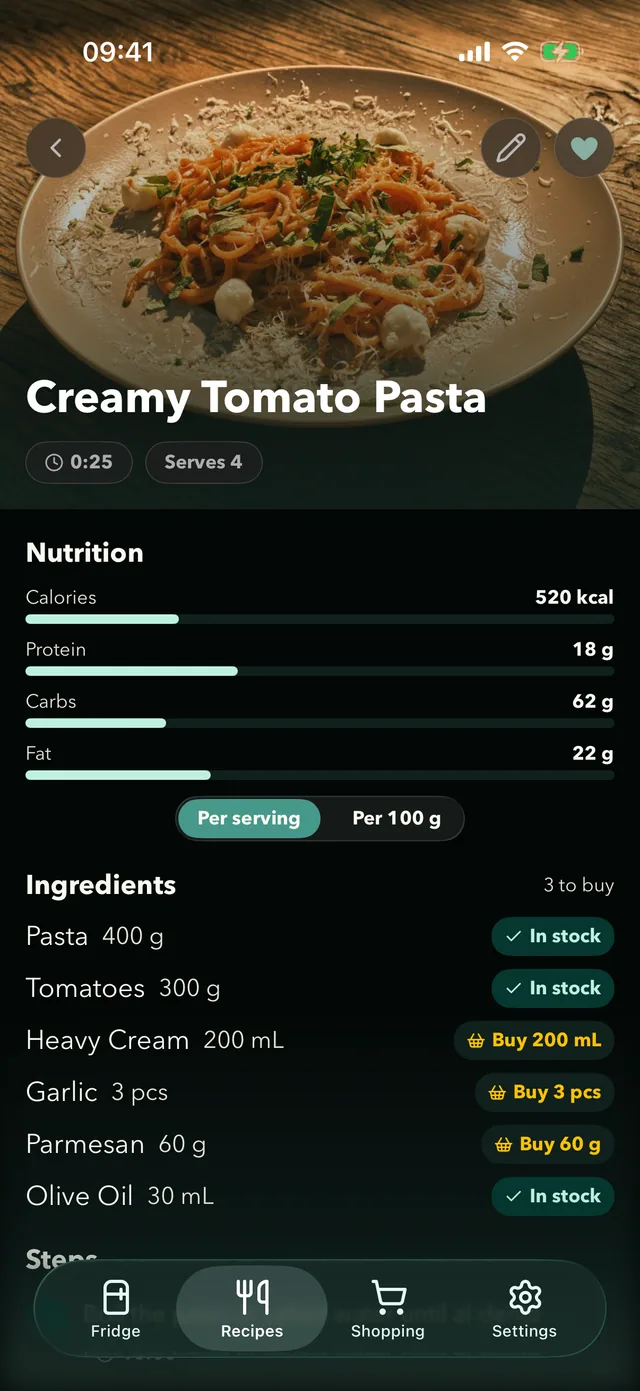
- Estimated nutrition for every AI recipe — calories, protein, carbs and fat per serving.
Your recipe library, free for everyone
Save AI ideas you love, write down family recipes, and see for each one what's already in your fridge. The library and cooking mode are free on every plan; only generating new AI recipes needs Pro.
Cooking mode that keeps up
Each step on its own screen, timers that keep running on your Lock Screen and in the Dynamic Island, and the screen stays awake while you cook.
Questions, answered
How many ingredients can I choose?
Up to 10 per request, plus preferences and a short note like "no oven".
Which diets are supported?
You can ask for vegetarian, vegan, gluten-free, kid-friendly, budget-friendly and more.
Is it free?
Generating AI recipes is part of Pro, and free users get a few tries. Saving and writing recipes is free.
What happens to my ingredient data?
If you allow AI recipes in Fridgea's privacy settings, the ingredient names and your note are sent to Google's Gemini AI to generate ideas.
Try it on your iPhone
Recipe ideas from what you have, then step-by-step cooking with timers.
Free on iPhone & iPad · No account needed