
Snap the receipt
One photo covers a whole shopping trip. Review the list, fix anything, add it all.
Learn moreFridgea keeps track of your food for you. Add groceries in seconds — snap the receipt, scan a barcode or just say it — and get a heads-up before anything goes off. Then cook from what you have.

Free on iPhone & iPad · No account needed · Syncs with iCloud


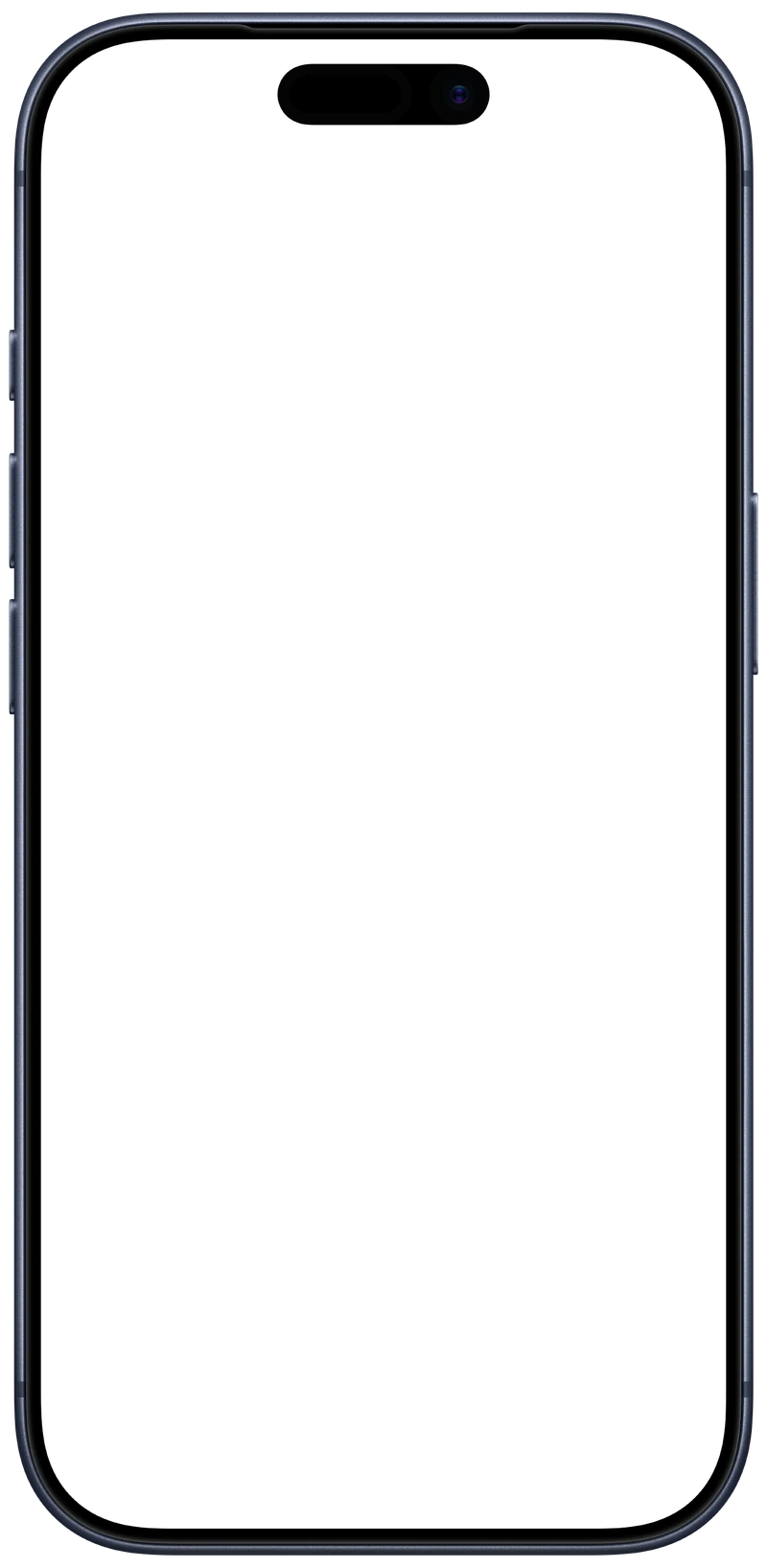
“I really like the idea behind Fridgea.”Snap your receipt, scan a barcode or say what you bought. Fridgea fills in where it goes and how long it usually lasts.
Learn moreOne calm reminder on the days something is about to expire — not one per item. A widget shows what to use first.
Learn morePick a recipe that uses what you have. Anything missing goes straight onto your shopping list.
Learn moreTake a photo of your receipt. Fridgea turns it into a list of items with expiry dates — check it, tap Add, done.
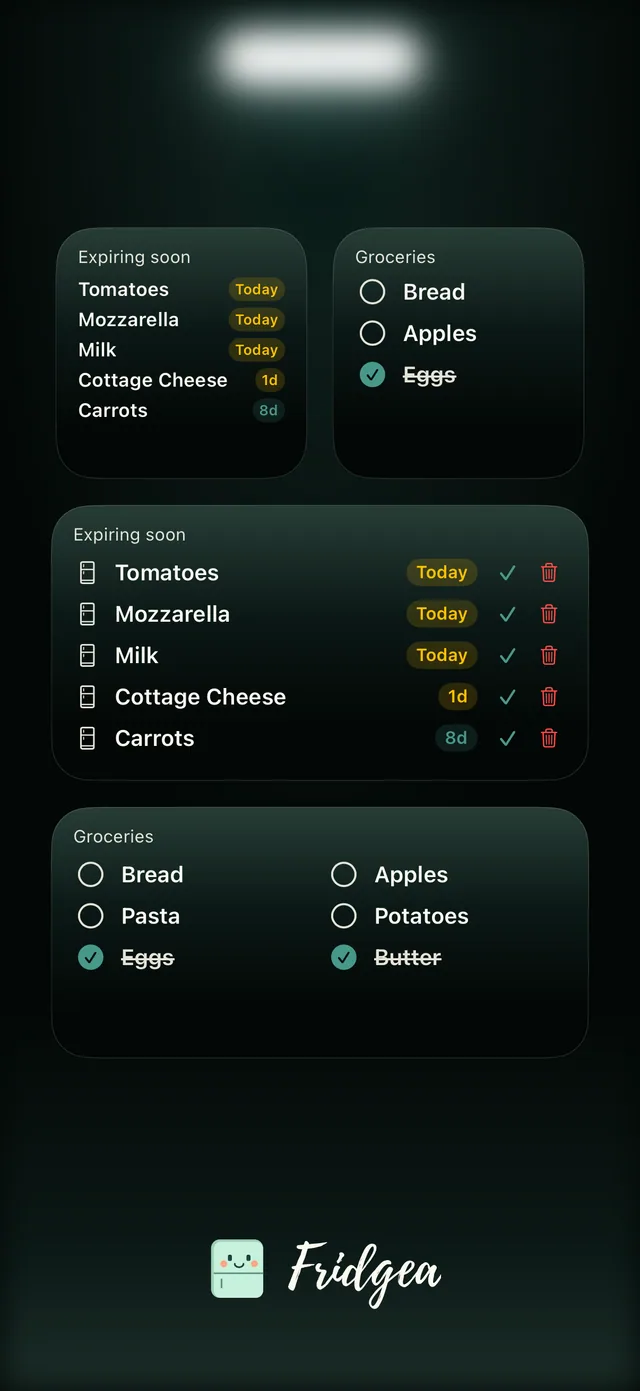
One notification tells you what's about to expire. The widget on your Lock Screen keeps it in view.
Saturday, 12 October
8:00

Milk and spinach expire tomorrow.
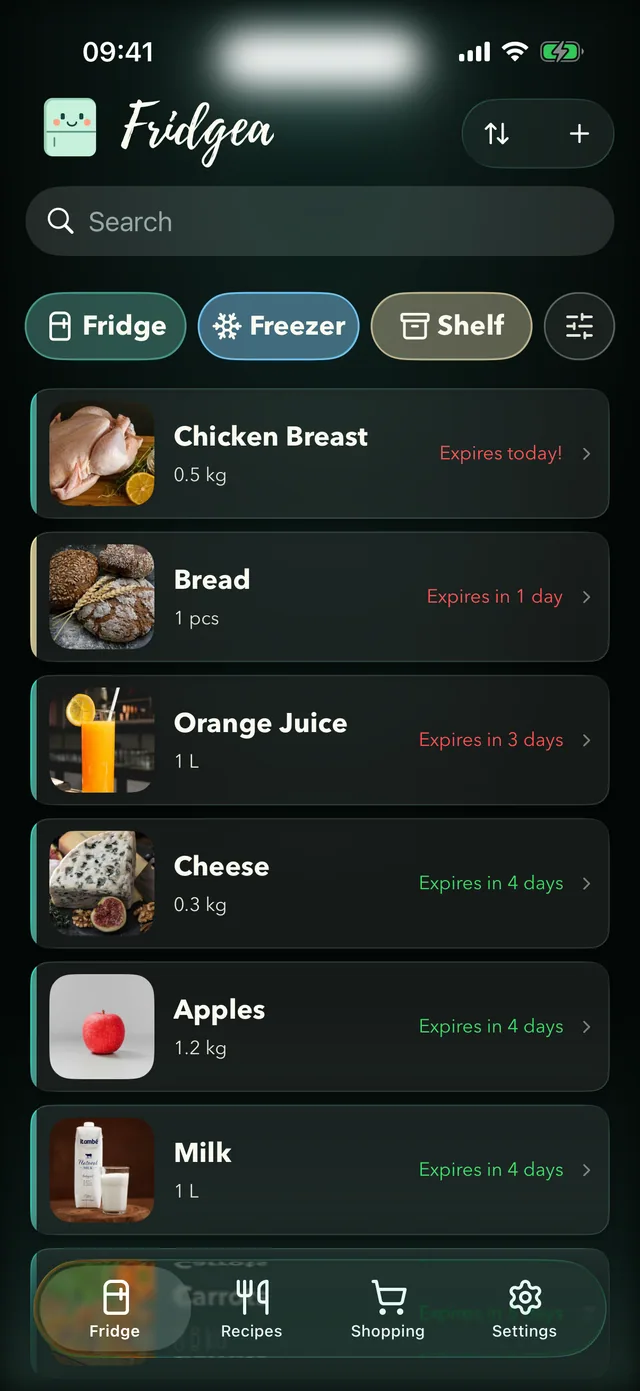
Pick the ingredients you want to use up. Fridgea suggests recipes that fit — vegetarian, quick, kid-friendly, your call.
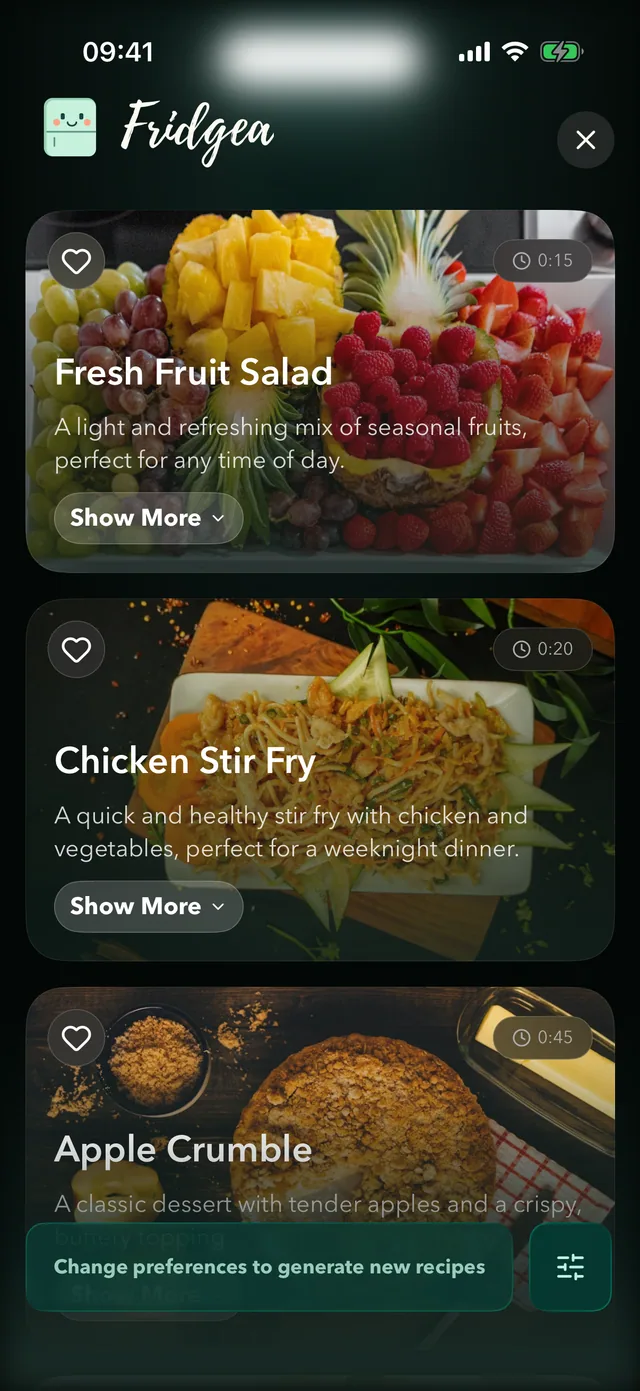
Every recipe shows what's in stock and what to buy. Add the missing bits to your shopping list in a couple of taps.
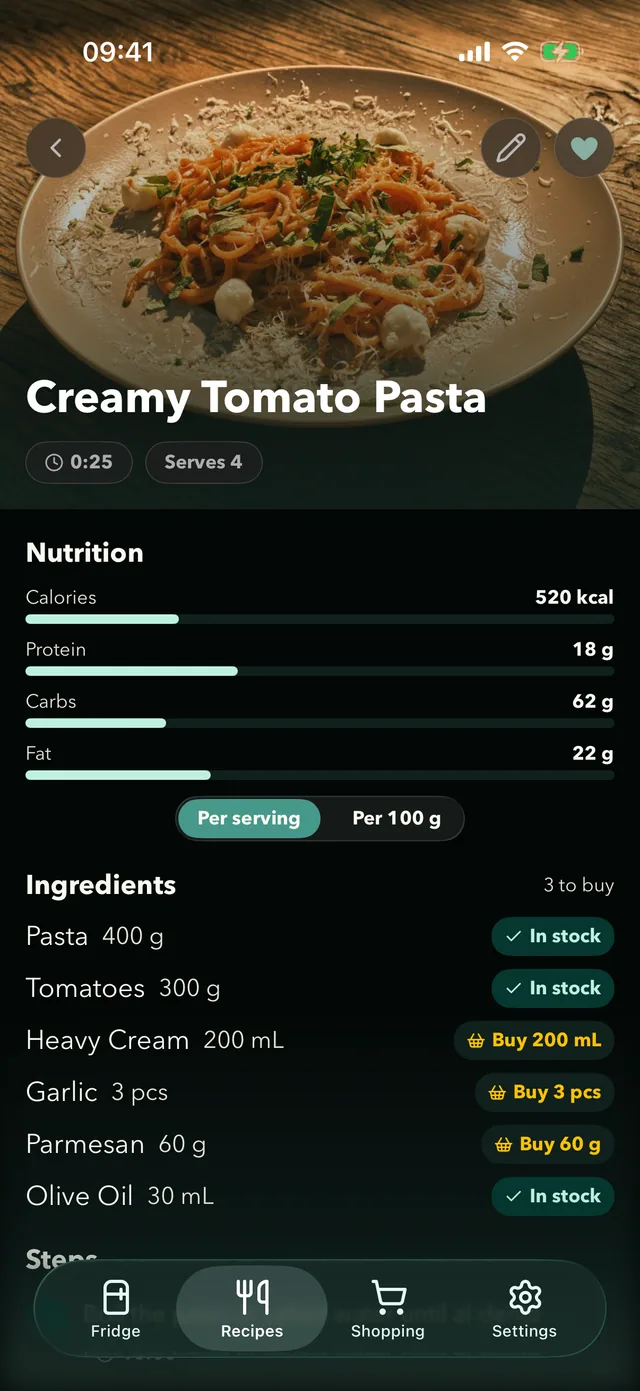
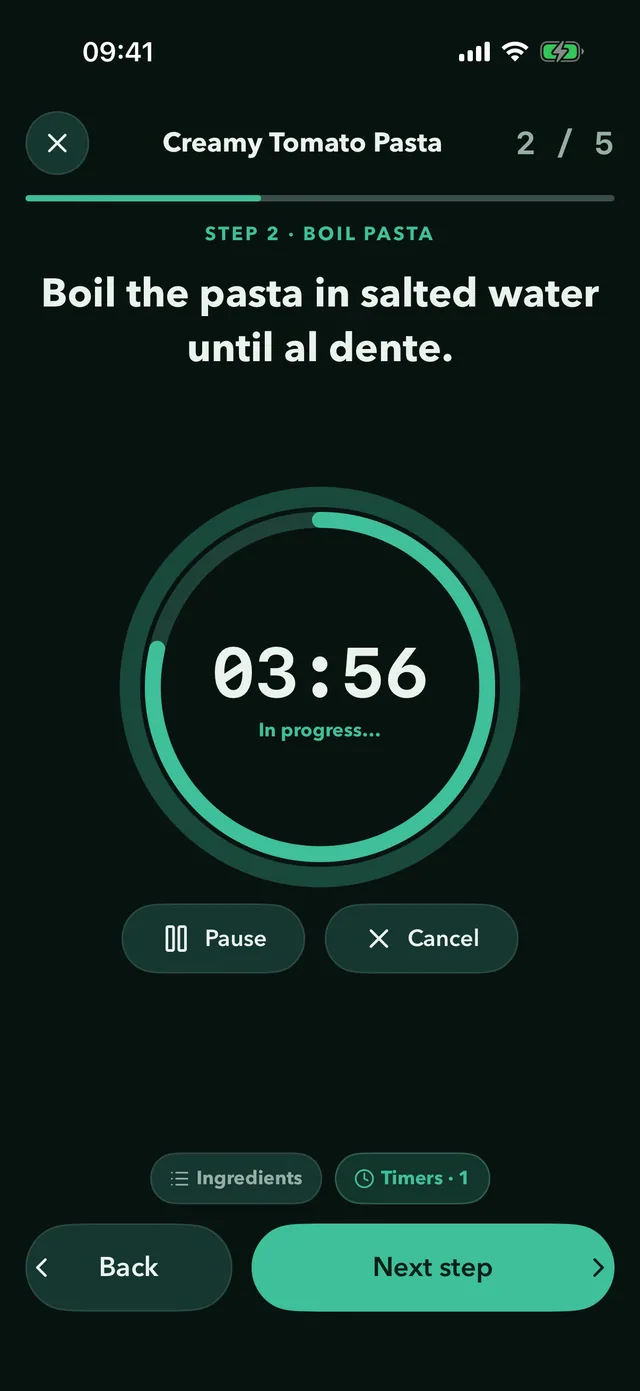
Cooking mode walks you through each step, with timers on your Lock Screen and in the Dynamic Island.
Tick items off at the store. Back home, move them into your fridge with their dates — and the loop starts again.
Free on iPhone & iPad · No account needed
One photo covers a whole shopping trip. Review the list, fix anything, add it all.
Learn morePoint your camera at the package. Fridgea looks it up and fills in the name and photo.
Learn more“Two liters of milk in the fridge and chicken for the freezer.” Fridgea writes it down for you.
Learn moreKeep your shopping list in Apple Notes? Share it to Fridgea and it's sorted into categories.
Learn moreType “milk” and Fridgea suggests where it goes and how long it usually keeps.
Learn moreReceipt scanning, barcode scanning and voice input come with a few free tries. Unlimited use and Notes import are part of Pro.
Interactive widgets show what's expiring and what's on your list. Mark something as used or thrown away without opening the app.
Free on iPhone & iPad · No account needed
Share your fridge and shopping lists over iCloud. No accounts, no sign-ups — invite your partner or housemates and everyone sees the same food and the same list, in real time.
13 kg
About 13 kg of food a month.
That's roughly 158 kg a year — the global average for a household of 2.
Source: UNEP Food Waste Index Report 2024 — 79 kg of household food waste per person per year.
Fridgea's job is simple: show you what to use first, so less of it ends up in the bin.
App Store rating: 4.8 ★ (8)
I really like the idea behind Fridgea. The concept is useful and has strong potential, especially for people who want to manage their groceries more easily and reduce food waste. The app feels promising and I’m looking forward to future updates.
It would be great to see more flexibility when adding products. Right now, adding items by barcode or manually works, but I’d love an option to add products by taking a photo with AI recognition. That would make the process much faster and more convenient, especially when you have many items to add at once.
Overall, great start — excited to see how the app evolves.
Nice app
Great design, solid functionality👍
Simple idea, but executed perfectly. Fridgea makes it really easy to keep track of food in the fridge and avoid wasting products. I love how quickly you can add items and move them into a shopping list when something runs out. It’s one of those apps you didn’t know you needed until you start using it :)
It literally saved me money. Totally worth it, and developer is super friendly and fast in fixing bugs and adding new features
I recommend it with great pleasure
I like that you can make recipes from the ingredients you have
Better and better with every update. Cool! One more idea: products that aren't in the fridge (ran out, not buying them for now) but were in use could go in a separate list, so they aren't scattered among all the other products with a little “(none)” mark
Thank you so much for adding product photos and grams instead of kg!
For getting started
Everything Fridgea can do
Prices are shown in the App Store in your local currency. Manage or cancel anytime in your Apple Account settings.
Free on iPhone & iPad · No account needed
Yes. Fridgea is free to download, and the free plan covers up to 30 items and 3 shopping lists, with expiry reminders, widgets, your recipe library and cooking mode. Pro unlocks unlimited items, receipt and barcode scanning, voice input, Apple Notes import, AI recipes and family sharing. Prices are shown in the App Store in your currency.
Five ways: snap a photo of your receipt, scan a barcode, say what you bought, share a list from Apple Notes, or simply type — Fridgea suggests where an item goes and how long it usually keeps. You can always edit the date.
Choose how many days ahead you want to know — from 1 to 7. On days when something is about to expire, Fridgea sends one notification that lists it all, instead of one per item. The Expiring Soon widget keeps the list in view.
Yes. With Pro you can share your fridge and shopping lists with anyone over iCloud. They don't need an account or their own subscription — everyone sees changes in real time.
Pick up to 10 ingredients you want to use and any preferences — vegetarian, quick, budget-friendly and more. Fridgea suggests 3–5 recipes, shows which ingredients you already have and adds the rest to your shopping list. AI recipes are part of Pro, with a few free tries.
In your own iCloud. Fridgea doesn't need an account and doesn't keep your fridge on our servers. When you use an AI feature — recipes, receipt scanning or voice input — the ingredients, receipt photo or spoken text are sent to Google's Gemini AI only to process that request. You can export or delete your data from Settings at any time. Details are in our app privacy policy.
Not at the moment. Fridgea is made for iPhone and iPad running iOS 18.6 or later.
The app is available in English, Ukrainian, Polish, German, Spanish, French, Romanian, Hindi, Bulgarian, Belarusian and Russian.
Write to support@fridgea.online — a real person replies, usually within a day or two. You can also visit our support page.
Fridgea is free to download. Your first reminder is a minute away.
Free on iPhone & iPad · No account needed · Syncs with iCloud